Create Your Whatsapp Bot Auto Responder
Hello friends, Are you sometimes not next to your phone, but want to reply to WhatsApp messages? WA chat bot does this job for you like duta. It will automatically respond to predefined messages, which contain some words or equal a message. You can set custom responses for different messages. WA chat bot also known as AutoResponder.
Requirements
Rooted Mobile ,
WA Chat Bot Lite (Download)

How to Set Whatsapp auto reply bot?
Simple steps:
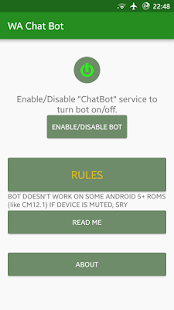
1. First Download WA Chat Bot and install.2. Open this app an allow Root access.
3. Now Click on Rules and add your rules or auto reply messages.
4. Select message which has to be answered (or * for all incoming messages which can also be specified by contact)
5. Select an answer for this messag
e 6. Select contacts which will get responses
7. Now Click Enable WA Chat Bot.
6. Select contacts which will get responses
7. Now Click Enable WA Chat Bot.
6. Select contacts which will get responses
7. Now Click Enable WA Chat Bot.8. Done, Now Whatsapp bot started.

FEATURES
FREE VERSION: * Automate your WA and give automatic replies * Automatically replies to custom/all WhatsApp messages with predefined texts * Responds if message equals or just contains some words * Possibility to set contacts who will get responses for each message * Possibility to answer all received messages (from all/from single contacts) * Answer replacements like %time% for current timePRO VERSION:
* Add infinite responses for custom messages
* Add multiple responses (Send all or a random one)
* Answer if message contains option
*Answer delay option
* Send Blue Ticks option
* Ad-Free
